Will It Still Play in 2056? Future-Proofing Your Wedding Film Without the Panic
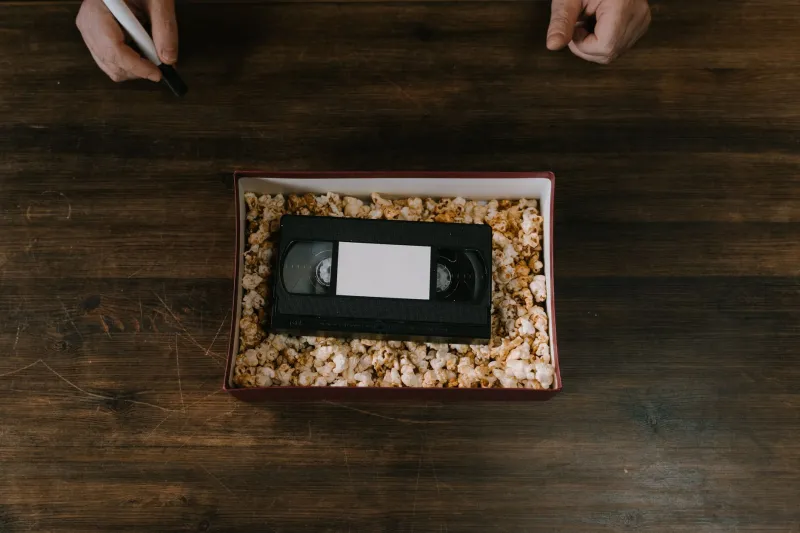
Picture this: it’s 2056. A granddaughter is helping clear out a cupboard and finds a small drive with a label that says “Wedding — final”. She plugs it in. Nothing happens. Not because the film was bad, or because the vows weren’t moving, but because the file format, the cable or the software fell out of use somewhere between the confetti and the present day.
That’s the uncomfortable truth about “forever” in a digital age. It isn’t a feeling you can store in a folder. It’s a strategy. And the good news is that it’s not particularly complicated — it just needs a bit of thought now, while the cake is still fresh in your mind.
At One Forever Films, we care a lot about cinematic wedding stories. But a story only lasts if someone can actually press play. So here’s the practical version of forever: what to keep, where to keep it, and how to make sure your film isn’t a beautiful ghost in thirty years’ time.
The difference between “saved” and “playable”
Most couples in 2026 are brilliantly careful about photos. They have a shared album, maybe a printed book, possibly a framed print. Video is often the afterthought — a link, a download, a file sitting on a laptop that’s already two upgrades old.
A wedding film is playable when three things are true: you can find it, you can identify it, and you have something that can open it. Fail any one of those and the film technically exists but practically doesn’t. In archives, this is the quiet crisis. Files don’t rot like paper, but they do become orphaned. A drive with no label, a folder called “Final final v2”, a cloud account tied to an old university email — these are the things that make future viewing a detective story rather than a celebration.
The 2056 test is simple: could someone who isn’t you, with no technical training, find your film and watch it? If the answer is “probably, if they knew my old password”, it’s worth a small tidy-up.
The format question, without the jargon
You don’t need to become a codec expert. You do need to know that not all video files are equally friendly. The master file from your filmmaker is likely a high-quality format designed for editing — excellent for picture quality, but sometimes large and dependent on specific software. The version you share online is usually compressed to within an inch of its life so it loads quickly on a phone.
Keep both. The master is the heirloom; the compressed version is the everyday copy. Ask your filmmaker for a widely supported viewing copy alongside the master — something like an H.264 MP4 is a sensible, boring, dependable choice. Boring is good here. It’s the video equivalent of a well-made Tupperware box.
If you’re given a choice, avoid making a proprietary editing project the only copy. If nobody has the software in 2056, the project is a puzzle box with no key. The finished film is what matters.
Cloud is a place, not a plan
Cloud storage feels like forever because someone else is looking after the servers. That’s genuinely useful, but it isn’t a plan on its own. Accounts lapse. Payment cards expire. Companies change their terms. A single cloud copy is a single point of failure with a monthly subscription.
Use two cloud services if you can — one for the master, one for the viewing copy — and check the legacy or inheritance settings. That sounds morbid, but it’s the digital equivalent of putting the photo albums somewhere sensible. Also, name the files properly. “Wedding_Film_Master_2026_Smith-Jones.mp4” is not romantic, but it is findable. Include a small text file with the date, venue, names and any technical notes. Future you will be grateful; future relatives will be even more grateful.
Physical media’s quiet comeback
There’s a reason archivists still talk about physical media. A hard drive on a shelf is not a time capsule — it can fail, and it needs powering up now and then. A USB stick in a drawer is convenient but not a long-term archive. But a well-labelled drive kept in a cool, dry place, plus a second drive stored somewhere else, is a solid part of the picture.
Some couples like the idea of an archival optical disc, such as an M-DISC, for a belt-and-braces copy. Others simply keep a high-quality drive and a printed photo book. Neither is wrong. The point is redundancy: more than one copy, in more than one place, in more than one form. And please, label the cables. In 2056, a mysterious black lead will not be anyone’s friend.
What archivists actually worry about
Ask a film archivist what keeps them up at night and you won’t hear “the picture quality”. You’ll hear “obsolescence” and “metadata”. Formats change. Players disappear. The file survives, but the knowledge around it doesn’t. That’s why migration matters: every five to seven years, copy your files onto fresh media and open a few to check they still work. It’s the digital version of airing the linen.
You don’t need a vault. You need a rhythm. A calendar reminder for a “film MOT” is unglamorous and deeply effective. Check the drive, check the cloud, check that the file opens. Then go and watch ten minutes of it, because the whole point of a wedding film is that it’s for watching, not just for filing.
A 2026 checklist for UK couples
- Ask your filmmaker for a master file and a widely playable viewing copy.
- Keep at least three copies: one working copy, one local backup, one off-site backup.
- Label everything with names, date and format. Add a short text note.
- Use two cloud services with legacy settings if possible, not one.
- Refresh your storage every five to seven years and test a file.
- Keep a physical copy if it suits you — a labelled drive, an archival disc, or a photo book alongside the film.
- Tell someone you trust where it all lives. “It’s on the laptop” is not an archive strategy.
None of this makes the vows more moving or the confetti more cinematic. It just means the film has a fighting chance of being there when someone wants to hear those vows again. Forever isn’t a promise you make on the label. It’s a small, repeated habit — and it starts in 2026.